For questions regarding product orders, donations,or for prayer, call us at 719-635-1111
Before proceeding make sure that you have your email and password ready.
Step 1
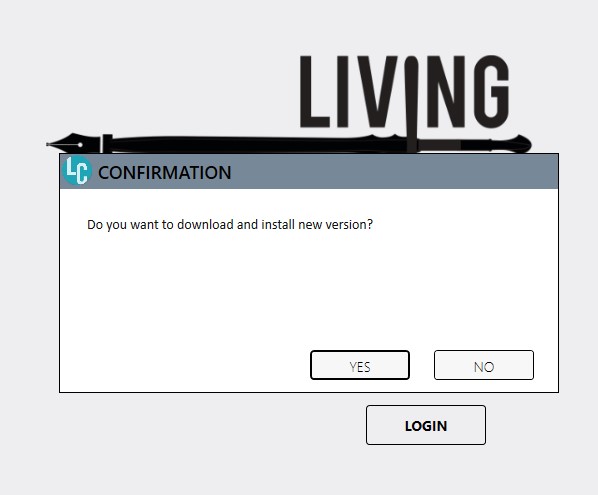
Upon launching Living Commentary, a window will appear asking “Do you want to download and install new version?”.
Step 2
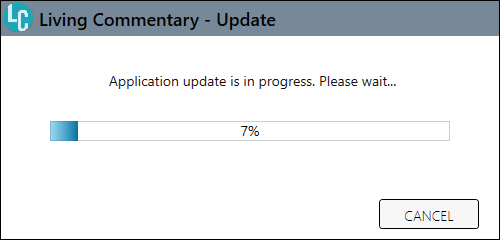
A progress bar will appear.
Step 2.a
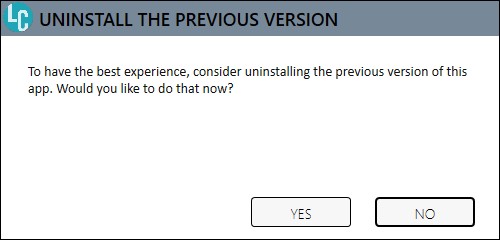
You may be asked if you would like to uninstall the previous version.
Step 3
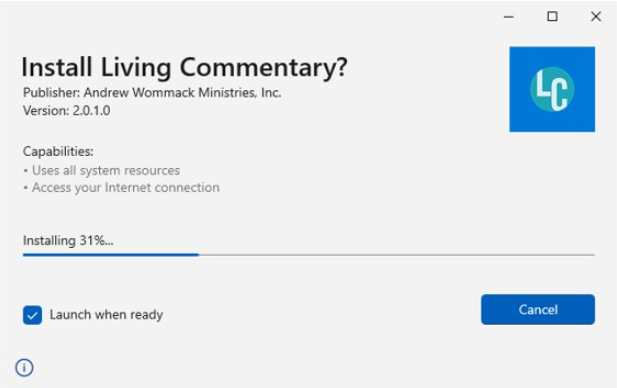
The system will show that it is installing.
Step 4
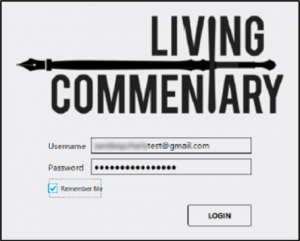
Enter your username and password.
Step 5
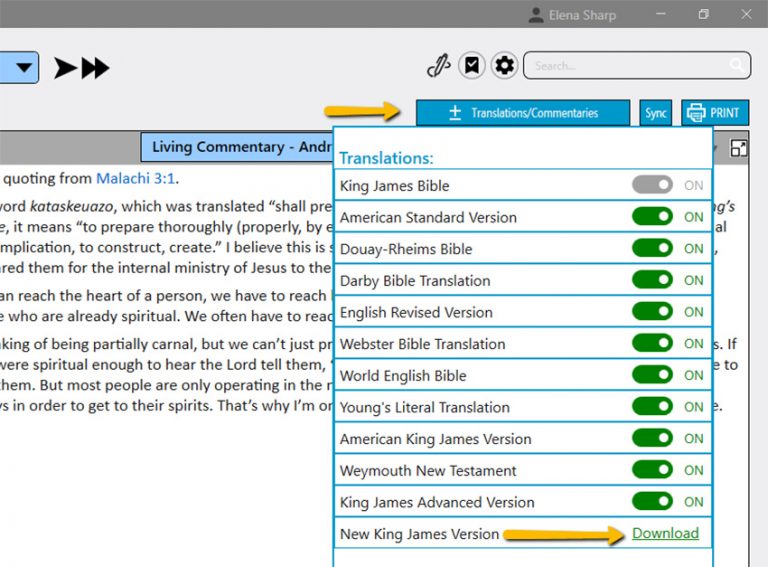
For Windows users: select “Translations” (Mac and all other platforms skip to step 8).
Step 6
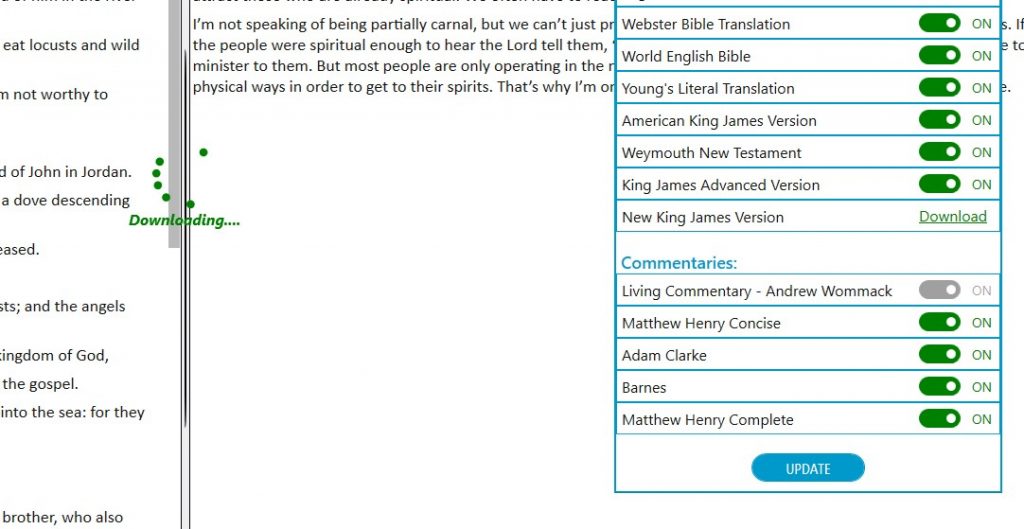
You will now see a green loading circle.
Step 7
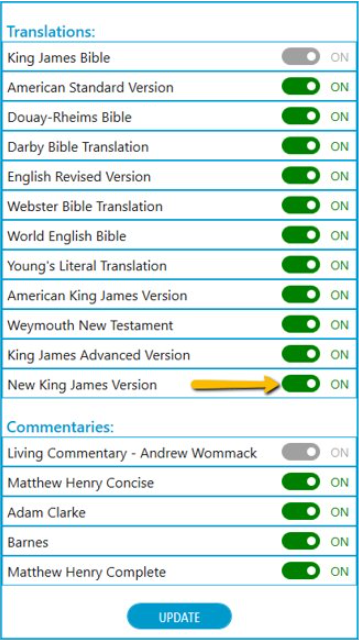
Once the download is complete you can toggle on the NKJV.
Step 8
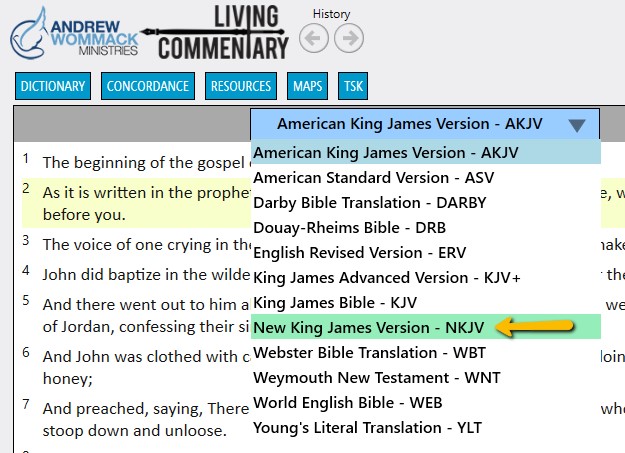
Click on the Bible Versions dropdown arrow.
Step 9
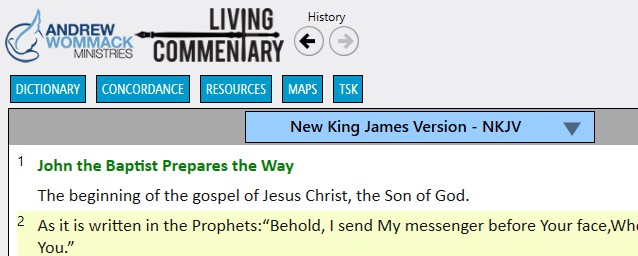
NKJV or your desired version should now be selected and showing.
Step 10
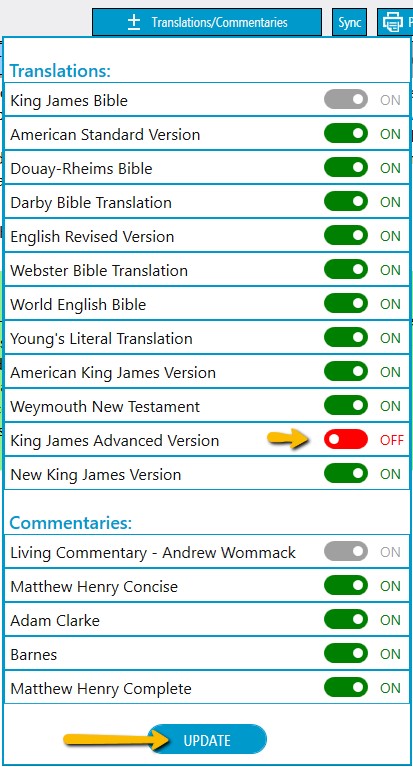
A new feature with this update is the ability to toggle On/Off versions that you do not use.
Note: The King James Bible and the Living Commentary are always set in the “On” position and cannot be changed.
Additional Note: Mac and all other platforms will receive this feature in a future update.
Time left to order for Thankful Weekend
Shop now for gifts that point people to Jesus—the real reason for the season.
Andrew is offering his new 4-lesson masterclass ($120 value) for FREE! Grab it here!